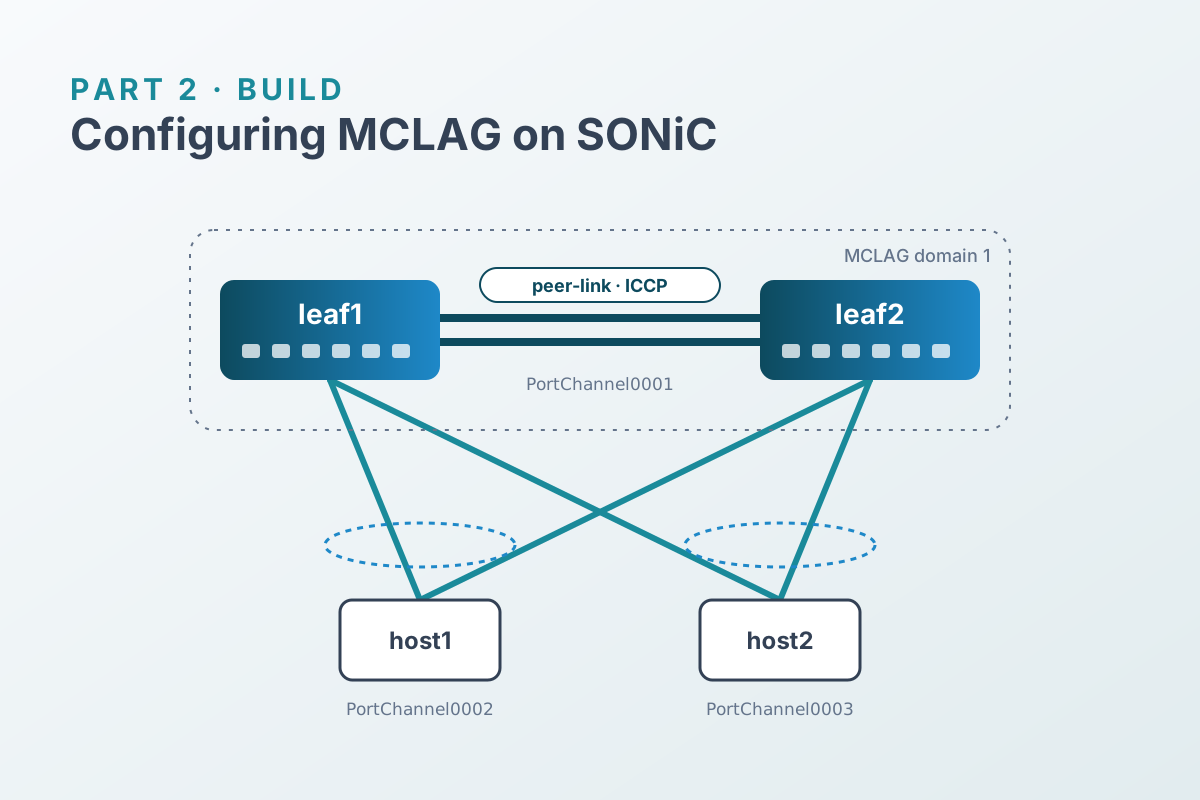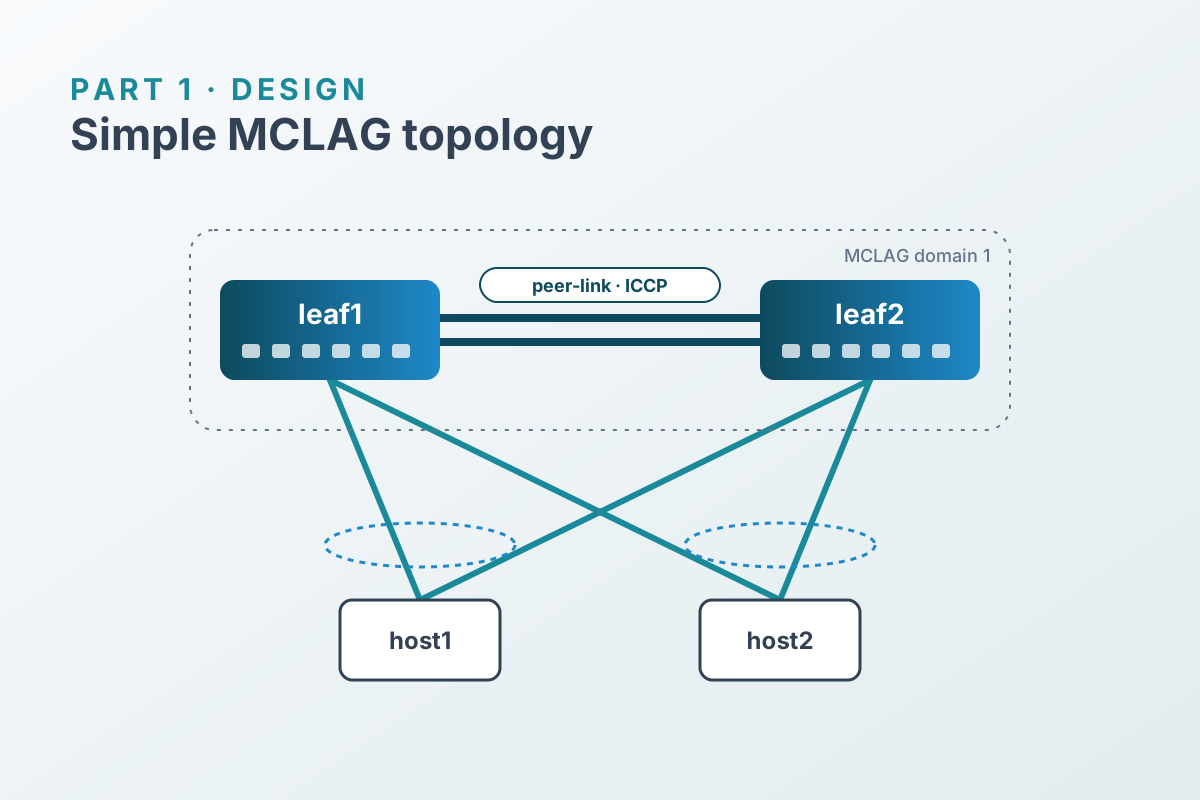

In Part 2 we configured MCLAG with about twenty CLI commands per leaf, and the two leaves differed in only two IP addresses. That’s a template waiting to happen.
SONiC makes this straightforward because all configuration lives in CONFIG_DB. Instead of driving the CLI, we render the CONFIG_DB tables we need as JSON and hand them to config load, which merges them into the running config.
Why config load?#
| Approach | Behavior |
|---|---|
config load file.json | Merges the file into CONFIG_DB. Keys you don’t mention are left alone. |
config reload file.json | Replaces CONFIG_DB with the file and restarts services. Disruptive. |
config apply-patch patch.json | Applies an RFC 6902 JSON Patch with validation (Generic Config Updater). |
A merge is the right fit here: we own the MCLAG-related keys and leave everything else, such as management, users, and syslog, untouched. The catch is that a merge never deletes. Removing a member from the template won’t remove it from the switch. We’ll come back to that.
Project layout#
mclag-ansible/
├── ansible.cfg
├── inventory.ini
├── group_vars/
│   └── leaves.yml
├── host_vars/
│   ├── leaf1.yml
│   └── leaf2.yml
├── templates/
│   └── mclag.json.j2
└── mclag.yml
Inventory and variables#
SONiC is Debian underneath, so Ansible manages it like any Linux host over SSH. No network-specific connection plugin is needed.
[leaves]
leaf1 ansible_host=clab-simple-mclag-leaf1
leaf2 ansible_host=clab-simple-mclag-leaf2

[leaves:vars]
ansible_user=admin
# Lab only. Use SSH keys or ansible-vault for anything real.
ansible_password=admin[defaults]
inventory = inventory.ini
host_key_checking = FalseEverything symmetrical goes in group_vars:
mclag_domain_id: 1
mclag_keepalive_vlan: 4094
mclag_keepalive_prefixlen: 30
mclag_data_vlans: [10]

mclag_peer_link:
  name: PortChannel0001
  ports: [Ethernet0, Ethernet4]

mclag_members:
  - { name: PortChannel0002, ports: [Ethernet8],  vlan: 10 }   # host1
  - { name: PortChannel0003, ports: [Ethernet12], vlan: 10 }   # host2
Only the ICCP addresses differ per leaf:
mclag_source_ip: 192.168.255.1
mclag_peer_ip: 192.168.255.2mclag_source_ip: 192.168.255.2
mclag_peer_ip: 192.168.255.1The template#
Building the JSON by string concatenation is fragile, because one stray comma breaks it. Instead, the template builds a dictionary and lets to_nice_json handle the syntax:
{#- CONFIG_DB fragment for a SONiC MCLAG peer. Rendered per host. -#}
{%- set cfg = {
  "FEATURE": {"iccpd": {"state": "enabled"}},
  "PORT": {}, "PORTCHANNEL": {}, "PORTCHANNEL_MEMBER": {},
  "VLAN": {}, "VLAN_MEMBER": {}, "VLAN_INTERFACE": {},
  "MCLAG_DOMAIN": {}, "MCLAG_INTERFACE": {}, "MCLAG_UNIQUE_IP": {}
} -%}
{%- set kvlan = "Vlan" ~ mclag_keepalive_vlan -%}

{#- Port channels and their member ports -#}
{%- for pc in [mclag_peer_link] + mclag_members -%}
  {%- set _ = cfg.PORTCHANNEL.update({pc.name: {"admin_status": "up", "mtu": "9100", "min_links": "1"}}) -%}
  {%- for port in pc.ports -%}
    {%- set _ = cfg.PORT.update({port: {"admin_status": "up"}}) -%}
    {%- set _ = cfg.PORTCHANNEL_MEMBER.update({pc.name ~ "|" ~ port: {}}) -%}
  {%- endfor -%}
{%- endfor -%}

{#- VLANs: everything tagged on the peer-link, members untagged -#}
{%- for vid in mclag_data_vlans + [mclag_keepalive_vlan] -%}
  {%- set _ = cfg.VLAN.update({"Vlan" ~ vid: {"vlanid": vid | string}}) -%}
  {%- set _ = cfg.VLAN_MEMBER.update({"Vlan" ~ vid ~ "|" ~ mclag_peer_link.name: {"tagging_mode": "tagged"}}) -%}
{%- endfor -%}
{%- for m in mclag_members -%}
  {%- set _ = cfg.VLAN_MEMBER.update({"Vlan" ~ m.vlan ~ "|" ~ m.name: {"tagging_mode": "untagged"}}) -%}
  {%- set _ = cfg.MCLAG_INTERFACE.update({mclag_domain_id ~ "|" ~ m.name: {"if_type": "PortChannel"}}) -%}
{%- endfor -%}

{#- ICCP interface and domain -#}
{%- set _ = cfg.VLAN_INTERFACE.update({
  kvlan: {},
  kvlan ~ "|" ~ mclag_source_ip ~ "/" ~ mclag_keepalive_prefixlen: {}
}) -%}
{%- set _ = cfg.MCLAG_UNIQUE_IP.update({kvlan: {"unique_ip": "enable"}}) -%}
{%- set _ = cfg.MCLAG_DOMAIN.update({mclag_domain_id | string: {
  "source_ip": mclag_source_ip,
  "peer_ip": mclag_peer_ip,
  "peer_link": mclag_peer_link.name
}}) -%}

{{ cfg | to_nice_json }}
The playbook#
- name: Configure MCLAG on SONiC leaves
  hosts: leaves
  gather_facts: false
  become: true

  tasks:
    - name: Render the CONFIG_DB fragment
      ansible.builtin.template:
        src: templates/mclag.json.j2
        dest: /etc/sonic/mclag.json
        mode: "0644"
      register: fragment

    - name: Merge the fragment into CONFIG_DB
      ansible.builtin.command: config load /etc/sonic/mclag.json -y
      when: fragment.changed or (force_load | default(false) | bool)

    - name: Persist the running config
      ansible.builtin.command: config save -y
      when: fragment.changed or (force_load | default(false) | bool)

    - name: Wait for the ICCP session to come up
      ansible.builtin.command: docker exec iccpd mclagdctl -i {{ mclag_domain_id }} dump state
      register: mclag_state
      changed_when: false
      retries: 12
      delay: 10
      until: "'keepalive is: OK' in mclag_state.stdout"
Run it with --diff to see exactly what changes on each leaf:
ansible-playbook mclag.yml --diffA second run reports no changes. The rendered file is identical, so the config load and config save tasks are skipped.
sshpass must be installed on the control node for password authentication. With SSH keys, drop ansible_password from the inventory.Limitations to know about#
- Merges don’t delete. If you remove
PortChannel0003frommclag_members, the playbook won’t remove it from the switch. For a lab, that’s fine. For production, either generate a JSON Patch with explicitremoveoperations and useconfig apply-patch, or adopt a “full config” model that renders the entireconfig_db.json. - Drift isn’t detected. The playbook compares the template to the file it last wrote, not to live CONFIG_DB. If someone changes the switch by hand, re-run with
-e force_load=trueto push the intended state again. - Order matters on first boot. Make sure no factory IPs or VLAN memberships remain on the member ports (Part 2 covers this). Otherwise the port channel membership won’t take effect.